
REGISTER For Our Next FREE Training Event:
VA Biz Office Hour
Dive into success with our free monthly webinars at VAnetworking.com,
tailored specifically for Virtual Assistants eager to grow their skills and business.
Date: Thursday, June 18th, 2026
Time: 1 PM Pacific Time / 4 PM Eastern Time
Speaker: Tawnya Sutherland
TOPIC: VA Biz Office Hour
Got questions about your VA business that you've been sitting on for too long?
Then come hang out with me for a session that's all about you and the real challenges you're facing in your business.
This isn't a presentation. There are no slides.
Just real talk, strategic guidance, and answers to you burning questions — from someone who's been in the VA industry for over 25 years.
We'll cover what you bring to the table:
- Pricing struggles
- Client situations
- Business structure
- Boundaries, systems, packages — you name it
Bring your questions, I'll do my best to bring you the answers.
And yes — VANA Community + Get Clients Club members get priority during the live hour. (Another perk of being in the club.)
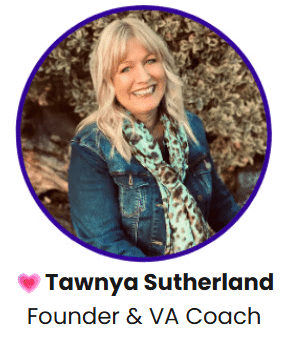
Tawnya Sutherland is the founder of the Virtual Assistant Networking Association (VANA), a global community supporting freelancers and Virtual Assistants since 2003. With other two decades of experience, she's helped thousands build and grow successful service-based businesses through practical real-world strategies.
She is the creator of the Virtual Assistant Career training system and founder of Get Clients Club, where she teaches proven methods for finding and retaining clients. Known for her no-fluff, action-focused approach, Tawnya's mission is simple: help freelancers take consistent action so they can get clients—and stay booked solid.
Can't Make It LIVE? Need the 🎥 Recording?
No problems! We understand life gets busy. If you can't join us live, we've got you covered. Join our VANA Community to access the replay and a wealth of other resources, ensuring you never miss out.
Spots Are Limited! Starts In...
Day(s)
:
Hour(s)
:
Minute(s)
:
Second(s)
Claim Your Spot Now!
2026 SPEAKERS & TOPIC:
January 15th - The Space-Mind Connection with Jylian Buitendyk
February 12th - VA Biz Office Hour with Tawnya Sutherland
March 26th - How to Position Yourself as a Premium Fiverr Seller (Even Without Reviews) with Kinshasia Johnson
April 23rd - VA Biz Office Hour with Tawnya Sutherland
May 21st - Grow Your VA Business with Claude Skills with Bob Sparkins
June 18th - VA Biz Office Hour with Tawnya Sutherland
July 16th - VA Biz Office Hour with Tawnya Sutherland
August 13th - VA Biz Office Hour with Tawnya Sutherland
September 17th - VA Biz Office Hour with Tawnya Sutherland
October 22nd - VA Biz Office Hour with Tawnya Sutherland
November 19th - VA Biz Office Hour with Tawnya Sutherland
December 10th - VANA Community Holiday Party
Want to speak at our network? APPLY HERE
All VANA Community Members can grab replays inside member area.
Never Miss Another FREE VANA Training...
Hosted by Tawnya Sutherland
Tawnya Sutherland, renowned in the virtual assistant industry, has been a transformative force since 1997. As the founder of the Virtual Assistant Networking Association (VANA), she has created a thriving community for VAs to connect, learn, and grow. Her groundbreaking platform, VirtualAssistantCareer.com, established in 2003, has been a cornerstone for aspiring VAs worldwide, guiding them to build successful businesses. In addition, Tawnya's GetClientsClub.com equips freelancers with the tools and strategies needed to secure a robust clientele. Featured in prominent media like Dr. Phil and Entrepreneur, her expertise is not just respected but actively sought after. As a coach and trainer, Tawnya combines her wealth of experience with effective, actionable training, solidifying her status as an invaluable resource for virtual assistants at every stage of their career.
Speak 🎤 and Share Your Expertise with Our VA Community!
Are you an expert with insights to share? The Virtual Assistant Networking Association (VANA) at VAnetworking.com is inviting dynamic speakers to inspire and elevate our thriving community of Virtual Assistants. This is a unique opportunity to volunteer your expertise, connect with professionals, and make a significant impact by sharing your valuable knowledge, innovative ideas, or unique experiences with service-based freelancers.
If you're passionate about a topic that would resonate with and educate our network of service-based entrepreneurs, we would be delighted to hear from you. Your expertise could be the spark that ignites new opportunities and learning for our members.
Interested in making a difference in the VA community? Please take a moment to fill out our speaker form. This is your opportunity to engage with a vibrant, dedicated audience, eager to grow and learn from your insights. Let's get the conversation started!